Posts

How To Revoke Twitter Apps
Image
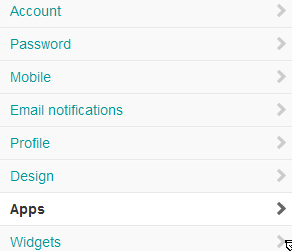
Revoking twitter app is a way to deny access of some application or website that has direct access to your twitter account. When you started using those applications, you first of all authorized it after logging in to your twitter account. If you have an application or website you do use or you had authorized, you now realize you don't need this app anymore, then you need to revoke its access to your account just like you will do when you want to unauthorized Facebook apps .

How To Manage Your Twitter Account

Image
Follow, Unfollow and block some of your friend on twitter. If you have a twitter account and you have followed some peoples and they did not follow back, here is how you can block and unfollow those users. For this tutorial am going to be using a site to show you how this works.

Transfer A Blog Feed Subscribers To Another Within The Same Web-Host Using Google FeedBurner

Image
If you had a blog with  lots of subscribers, you opened another and wish to move all the subscribers to the new one without the former blog feeds so that those subscribers will be receiving updates from the new blog  instead of the older, read this tip.

How To Get Facebook Profile ID For Profiles And Pages

Image
Do you want to know all about a particular page or someone's profile details on Facebook such as the first name, last name, gender, location, id, about, number of  likes etc without going to the person's or page Facebook wall, then you have to go to the Facebook id page with your computer browser. Use this tip to get your profile id if you are trying to install the Facebook comment form on your blog or website for notifications on your Facebook wall.

Link Google Docs Files To 4shared

Image
4shared is a free file sharing and storage web host, here is a full detail about them . You can use 4shared web host to upload your favorite files and download later in any geographical location. If you need to have all your Google docs files stored on your 4shared account for easy download here is how to do that just like saving your gmail messages on your Google docs .

Create eBook From Wikipedia Page

Image
Wikipedia now has a tool that will enable you bundle some of your favorite pages and convert them into an eBook then download  when ever you want. It is not mandatory to have an account with them before you can bundle all your favorite pages to transform them into a Book.

Save Your GMAIL Message In Your Google Doc

Image
Do you have a message on your Gmail inbox which you will like to save on your Google doc document to be viewed later or to download it to your PC or computer, here is a tip for that. To do this, you need to first of all enable the "create document " l ab for your Gmail account, lets start by seeing how you can enable the "create a document" lab for your Gmail account